Platform Specifications
| Software | Capabilities |
|---|---|
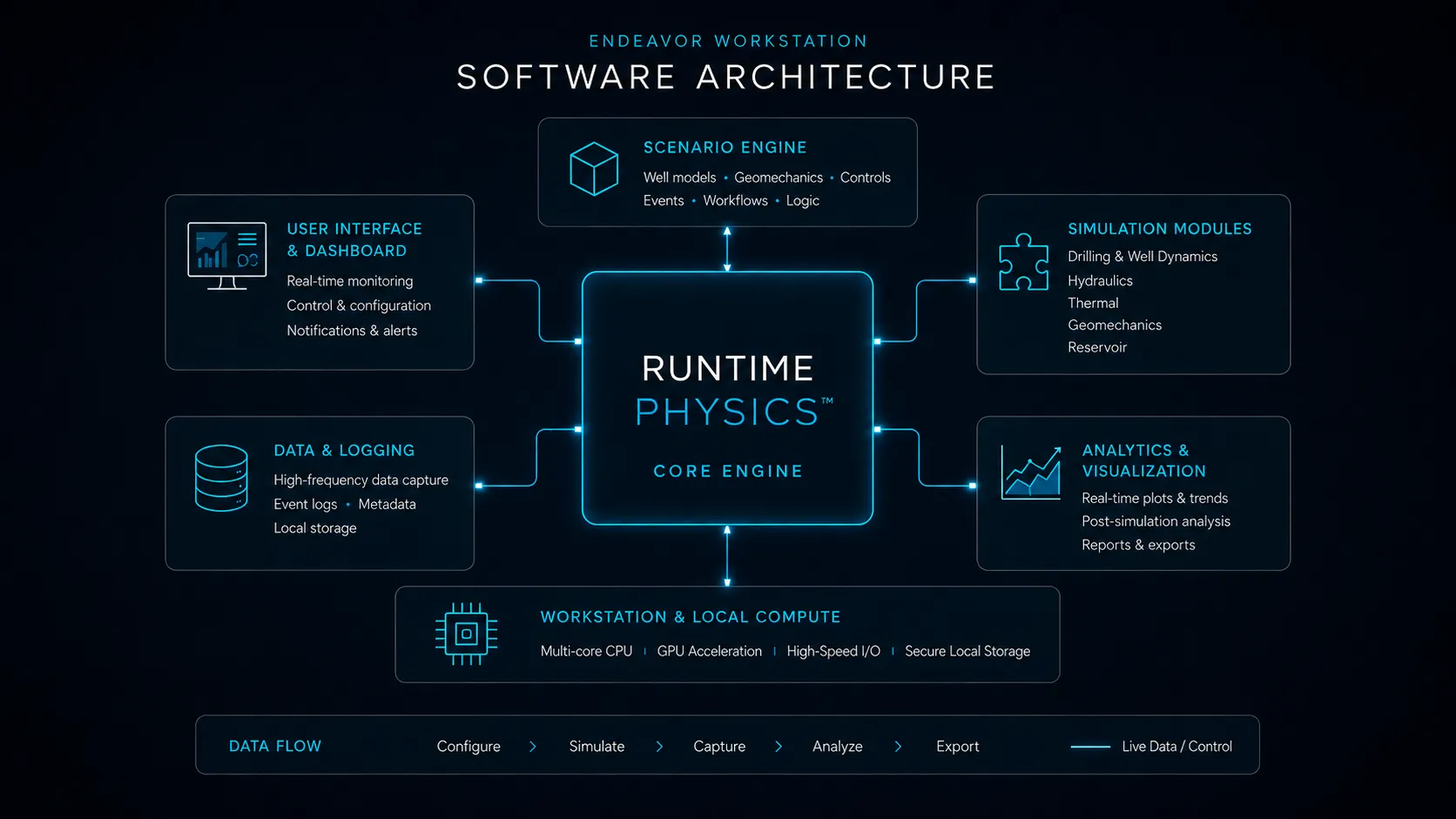
| RuntimePhysics™ | Multi-phase fluid dynamics, thermodynamics, and geomechanics |
| Interface | Operator and Supervisor Dashboard UI (mouse/keyboard optimized) |
Practice drilling, well control, and MPD on a dedicated workstation. Prepare scenarios and rehearse operating decisions through a mouse-and-keyboard interface.
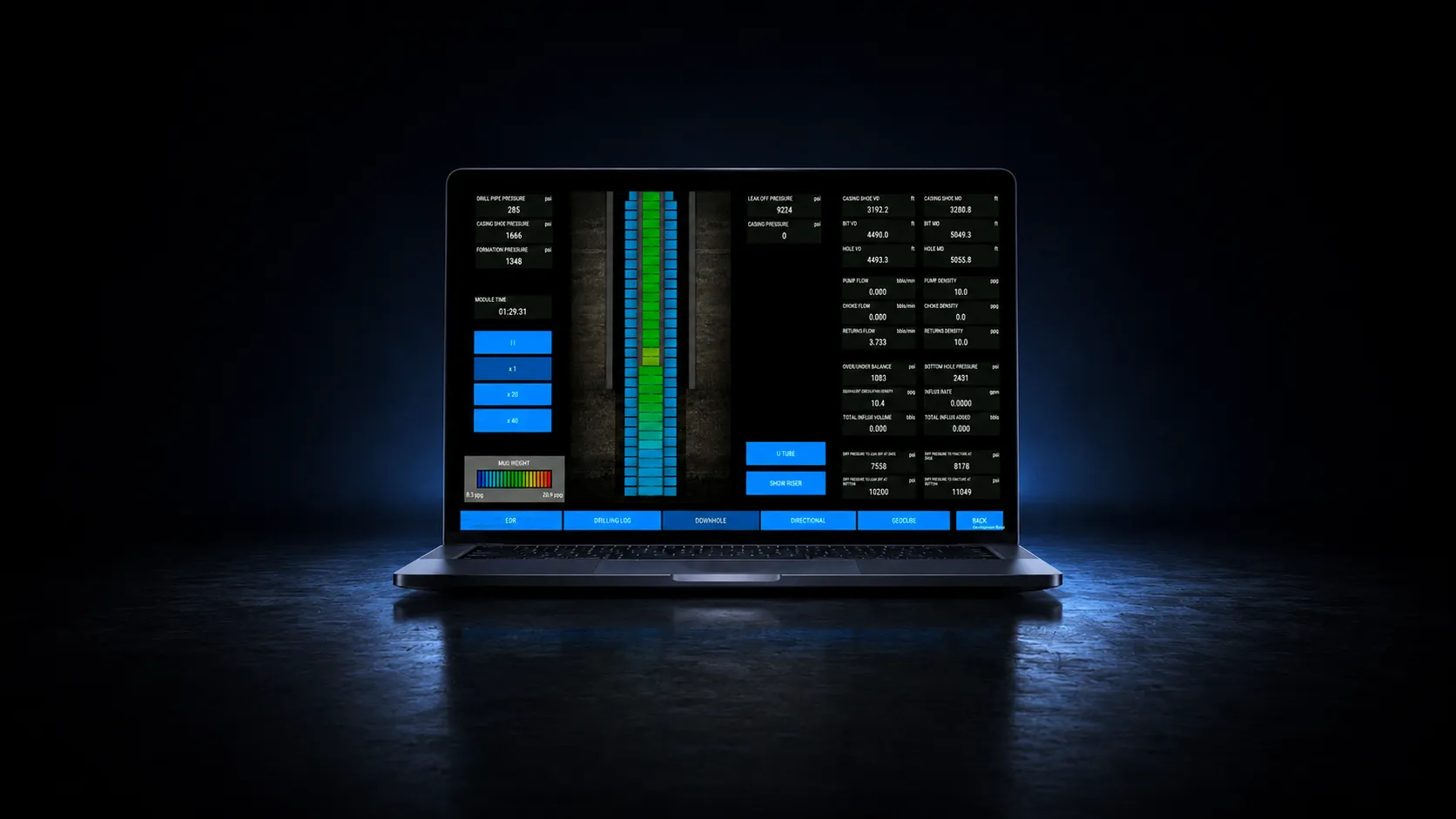
Give instructors, supervisors, and individual learners a compact simulator for practical preparation. Explore operating sequences, change conditions, and observe the response before moving into a crew or hardware session.
RuntimePhysics™ on EndeavorTech.com ↗→ See All DeploymentsBuild focused exercises around your procedures, well conditions, and training objectives. Repeat decisions, compare responses, and prepare participants for instructor-led assessment and crew rehearsal.
| Software | Capabilities |
|---|---|
| RuntimePhysics™ | Multi-phase fluid dynamics, thermodynamics, and geomechanics |
| Interface | Operator and Supervisor Dashboard UI (mouse/keyboard optimized) |
| Available Modules | Featured Simulator Modules |
|---|---|
| Well Control | IADC/IWCF-aligned scenarios (Driller’s Method, Wait & Weight) |
| Drilling | Stuck Pipe, Jarring, Differential Sticking, Cementing, Deep Well |
| Well Intervention | Wireline, Coiled Tubing, OGOR, Workover, E-Line, Slick Line |
| Advanced | MPD, Directional Drilling, Carbon Capture, Dual Gradient Mud Cap |
| Bespoke | Liner Hanger, Packers, Branched/Lateral Wells, Fracturing & Stimulation, ERD |
| Component | Minimum Spec |
|---|---|
| OS / Processor / RAM | Windows 10/11 (64-bit) / Intel Core i7+ / 32GB Recommended |
| Graphics | NVIDIA RTX Series (6GB+ VRAM) or Equivalent |
| Storage | 512GB NVMe SSD (Fast read/write for data logging) |
Warranty: 1 year standard. Maintenance contracts available (1 or 3 year commitments).
Use an Endeavor Workstation for focused drilling simulator training, instructor preparation and exercise review. A mouse-and-keyboard interface gives learners access to simulator controls without a full-size chair installation.
Select the drilling, well control or MPD modules required by your program. Confirm the Windows workstation specification, displays, input devices and installation requirements with Endeavor before choosing hardware.
Define the number of training stations, instructor roles and exercise requirements with the Endeavor team. Software access, installation and support are matched to the agreed deployment.
Introduce screen layout, pipe handling, pump controls, chart displays and results export before hands-on practice. Follow the walkthrough, then use your configured simulator for the exercises selected by your instructor.
Explore a workstation configuration for individual practice, instructor preparation, and drilling or well control rehearsal.
Build Your Simulator